Adding a Shared Mailbox in Outlook for Android
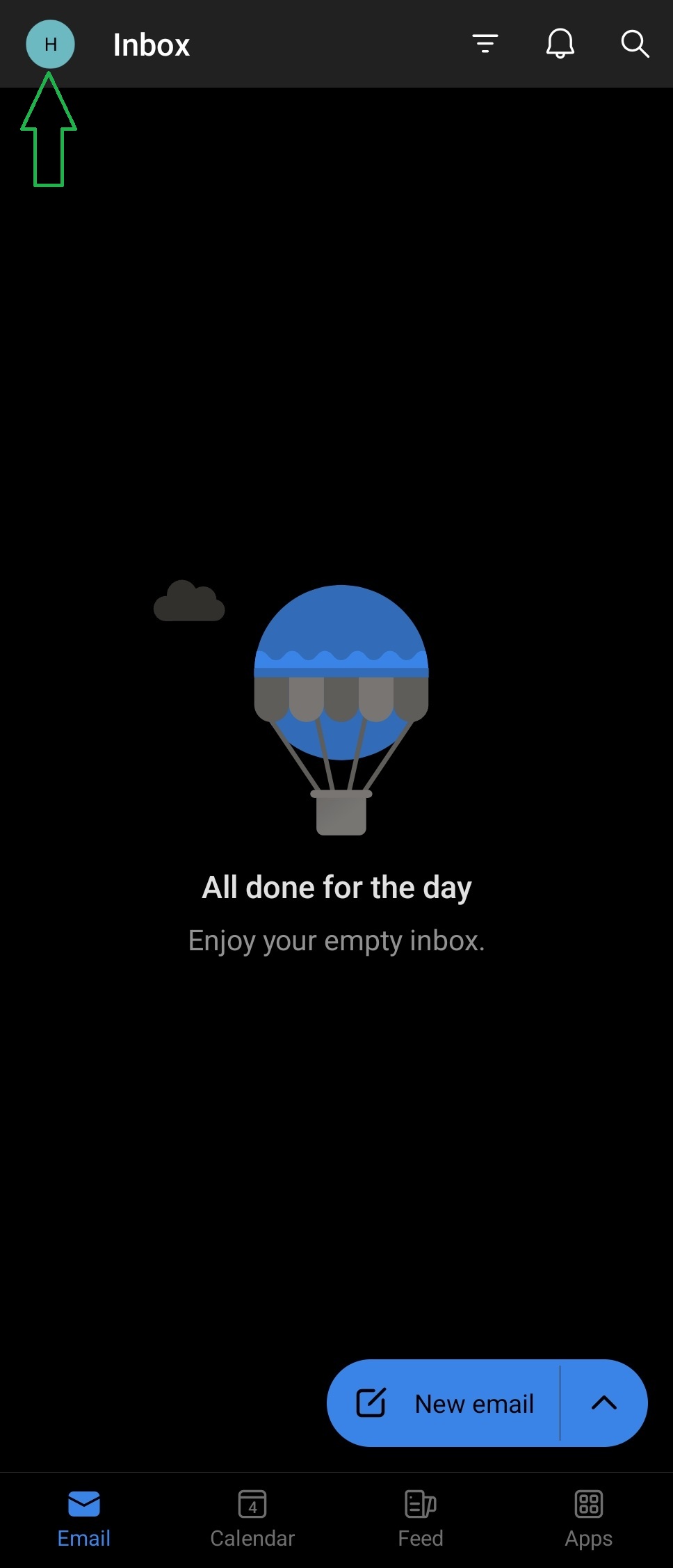
1. Click the account icon in the top left
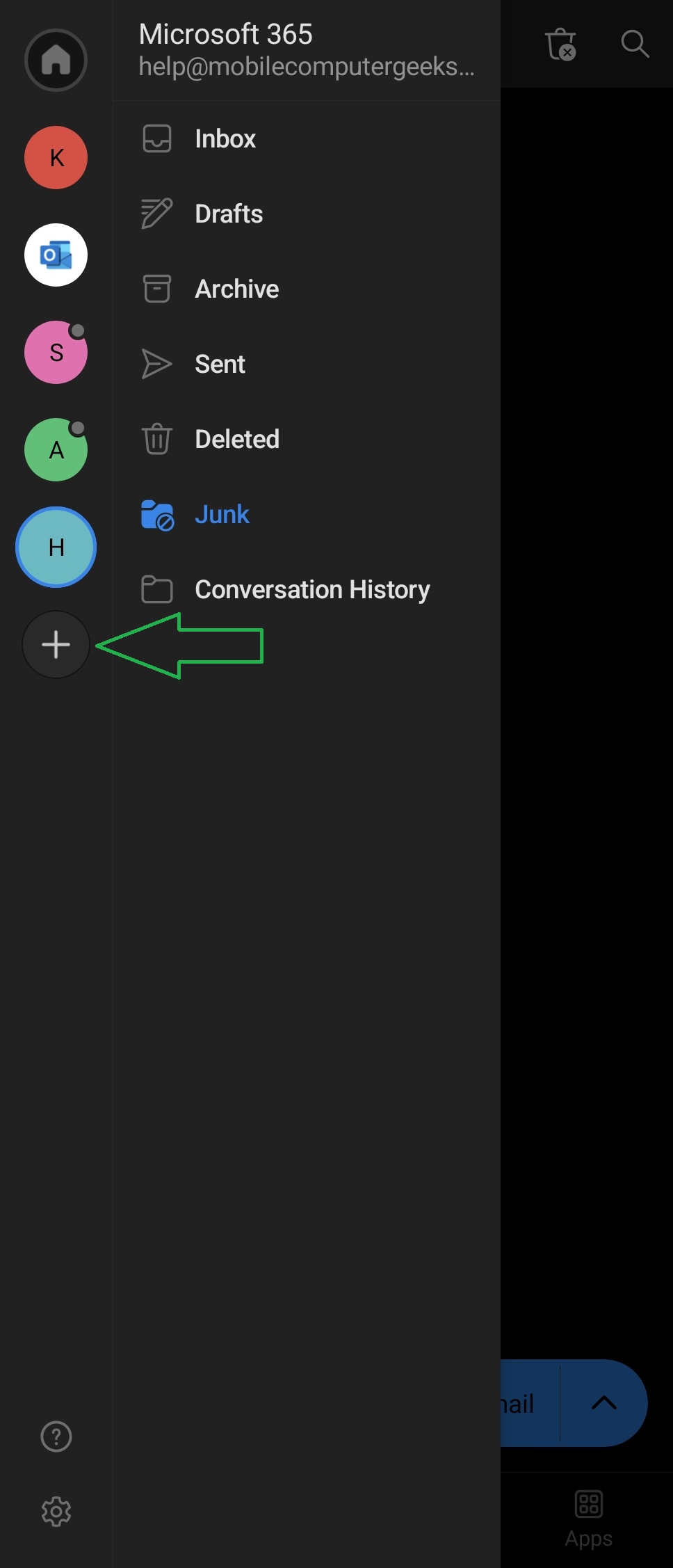
2. Click the + icon beneath the accounts
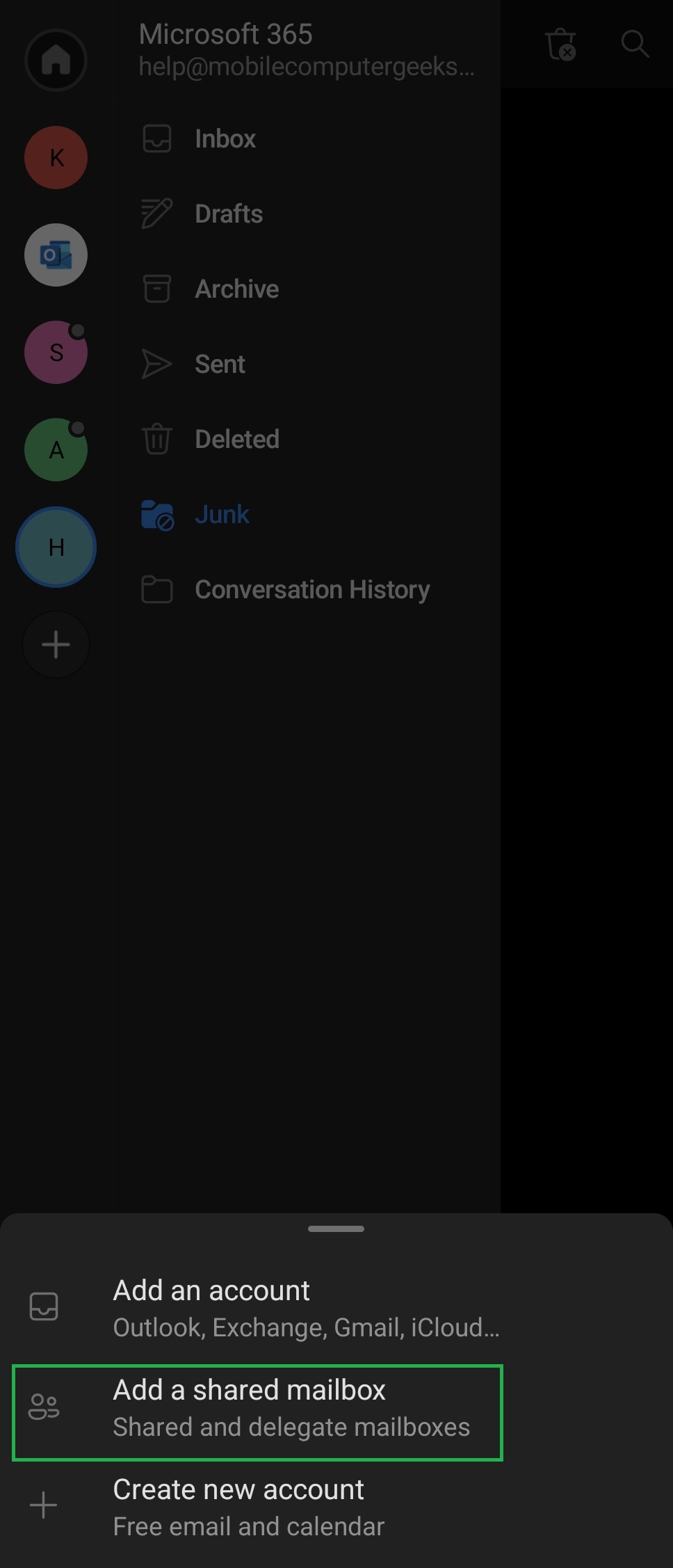
3. Choose "Add a Shared Mailbox"
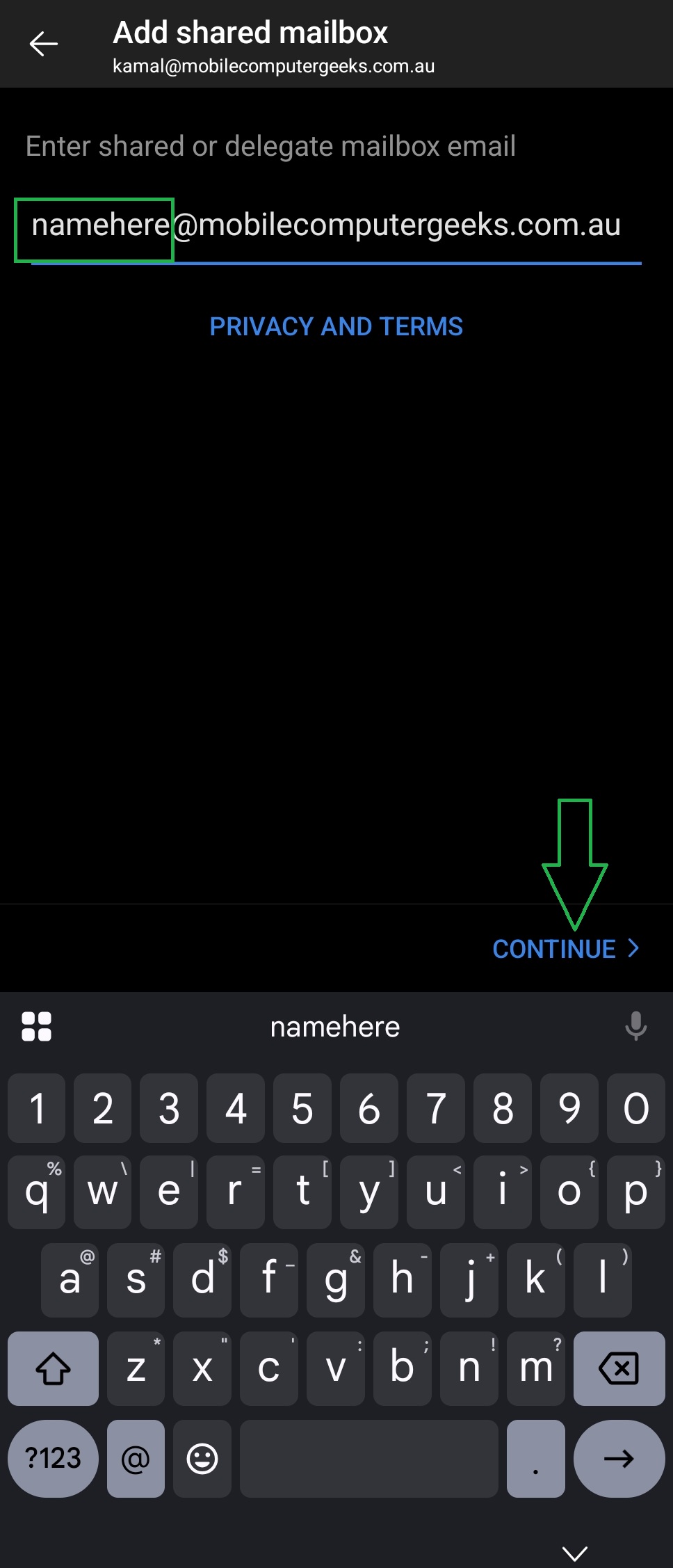
4. Type the name of the Shared Mailbox you want to add, e.g. "Sales" then press Continue
You have now added a shared Mailbox. Repeat steps 1-4 to add any further shared mailboxes.